Chapter 1
Once you log onto mModal you can make your own Macros and save them in this program. Choose a “catch phrase” that activates mModal to recognize you want a macro entered. My Catch phrase is “Drag in [x]”. I use a combination of the preformed ED Macros (found under ED Commands) and my own custom macros.
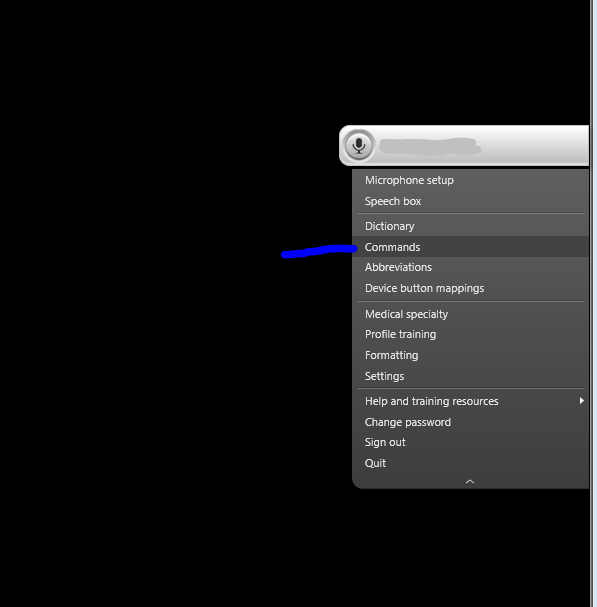
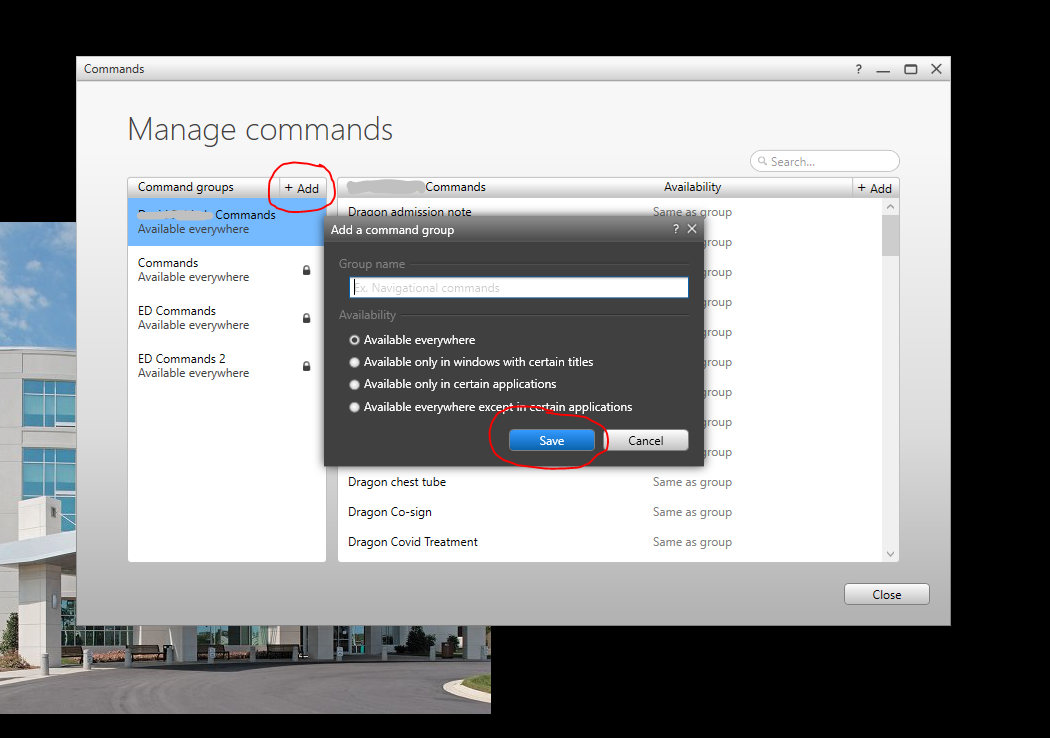
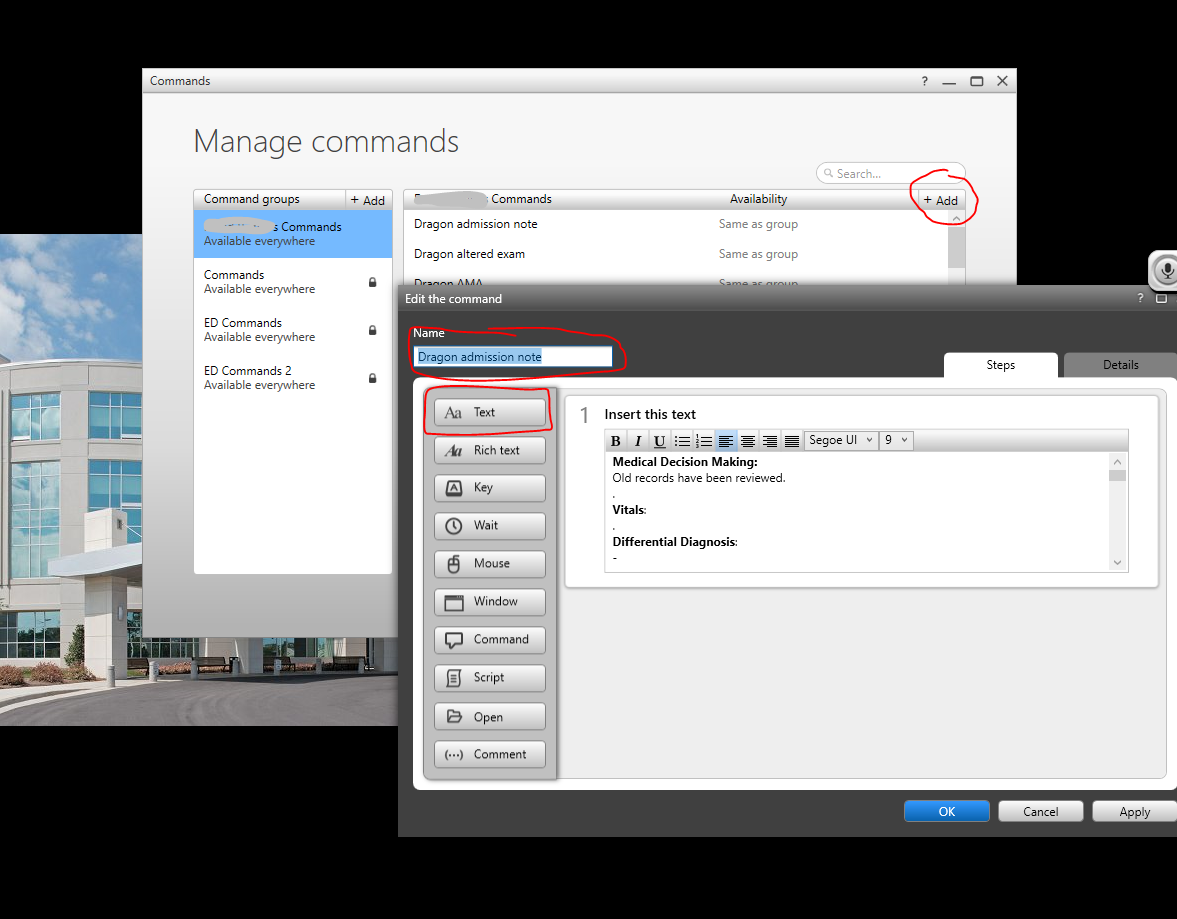
In order to create your macros, select “commands” in the drop down menu ( pic 1). Then add a new command group on the left hand side (pic 2). From there you can add new commands as needed on the right side (pic 3). This will pull up a separate window that will allow you to enter your command along with the words that will be input after you state your command. (pic 3)
As you can see I have created many macros that all have the same “catch phrase” with a modifying word to follow.