Chapter 1
Setting up your Order Favorites.
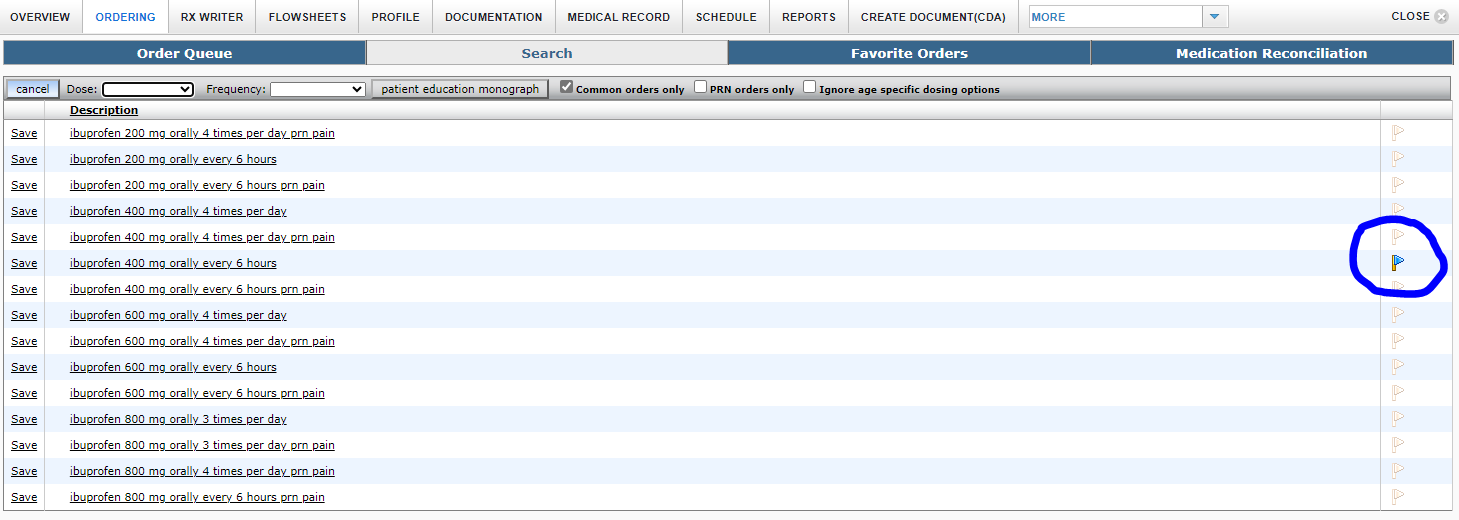
Within Paragon, you can set up your order favorites by first searching for an order or order-set, then clicking on the Blue flag on the right-hand side of the screen.
This will send the selected Order or Order-Set to your “favorite orders” tab.
After this you can rearrange your favorite orders to be more user friendly.
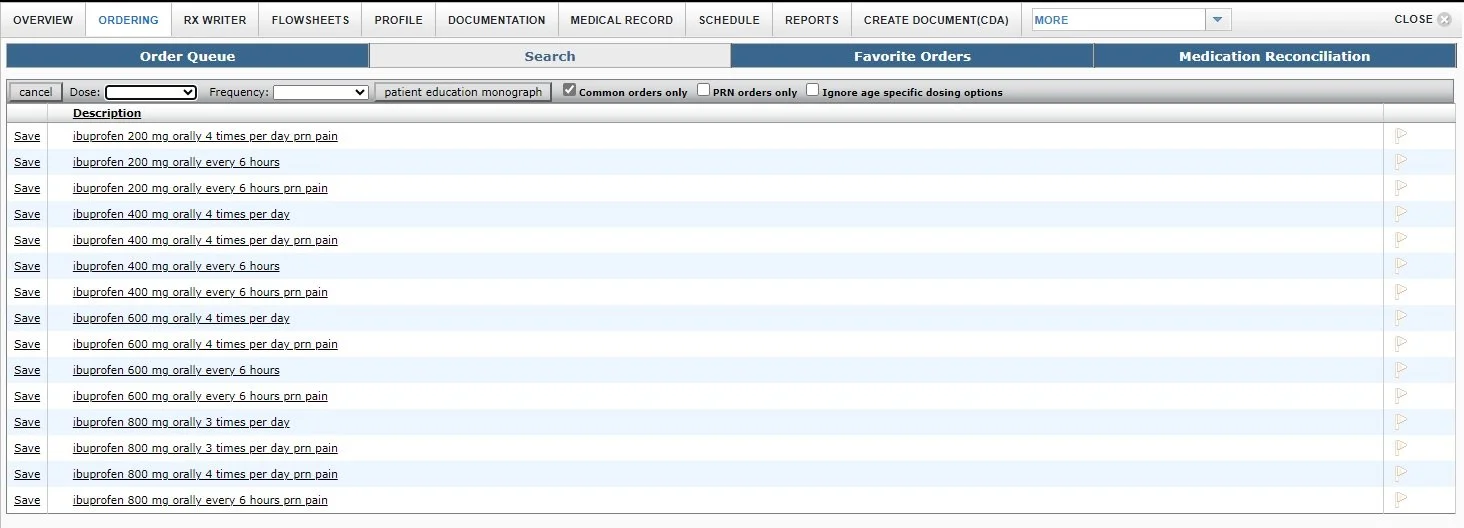
To save an order: Click on the flag on the right-hand side of the screen. Make sure it turns blue.
Now move to your “favorite orders tab.” It will be rather blank (unlike below)
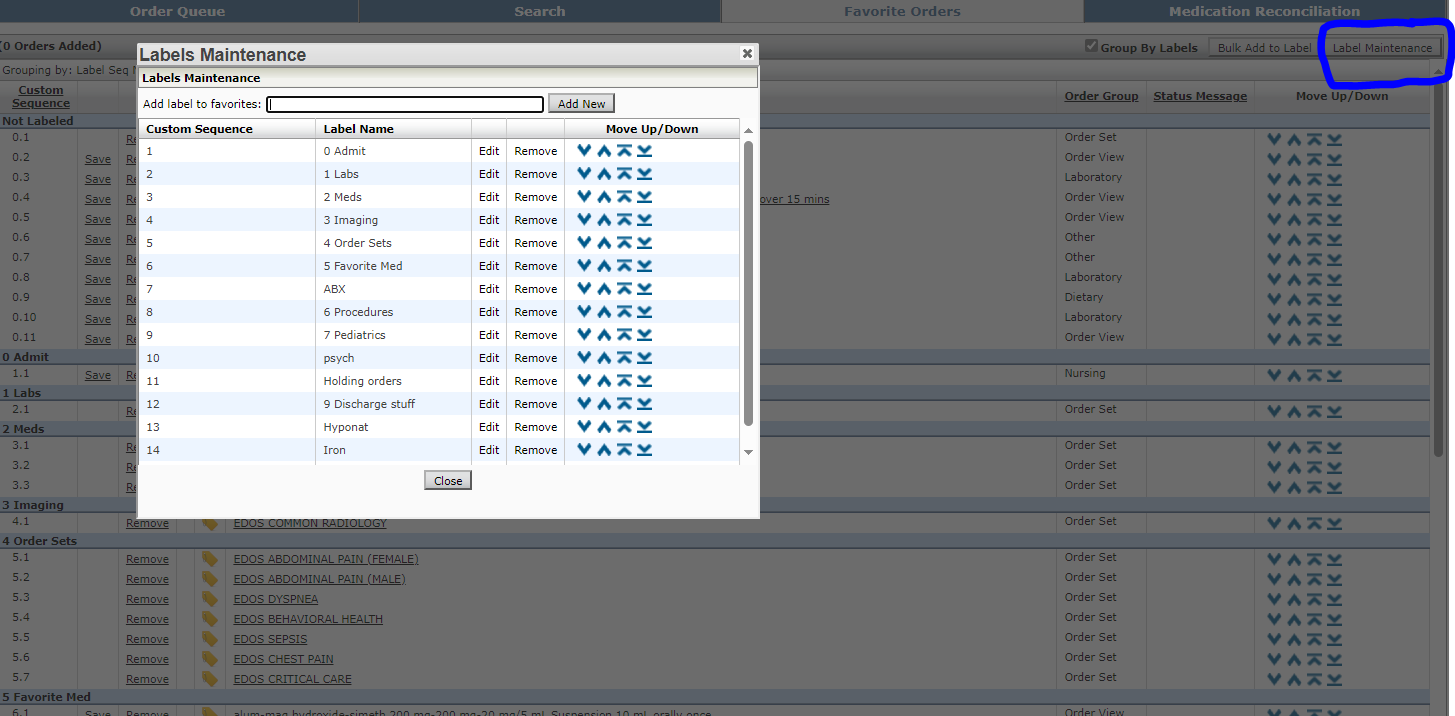
Click on Label Maintenance at the top right to bring up this screen. From here you can add a labeled section and organize them.
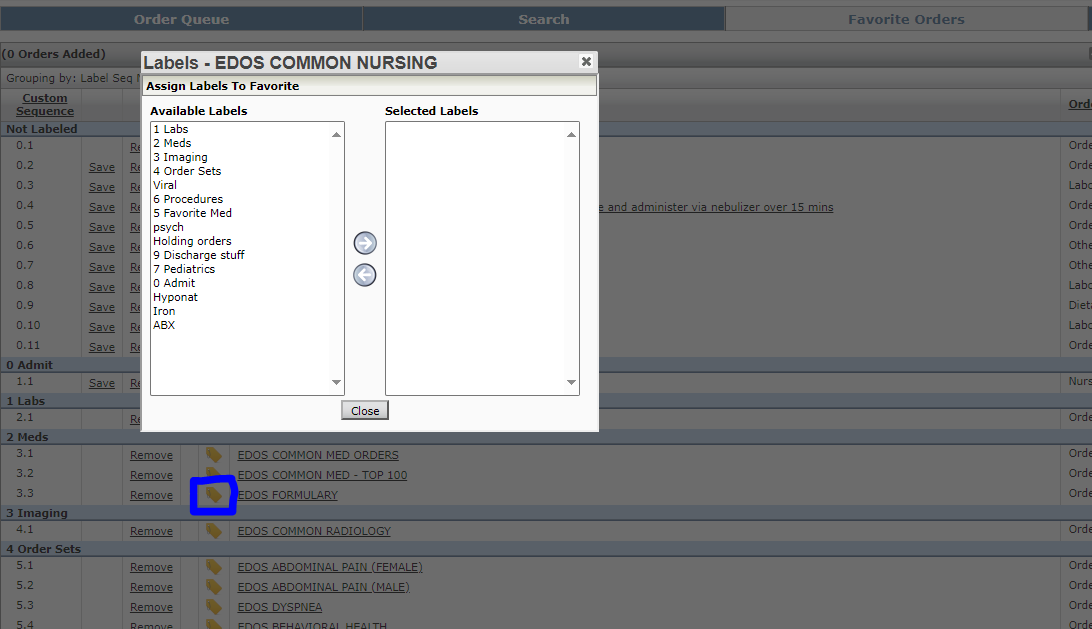
Next after closing the above. Click on the “Gray Tag” to the left of the description column. This will turn the tag yellow. This will allow you to move your order into a specific section in the window below.